Item Limiter
Restrict how many of a specific item type a player can have in their inventory.
Overview
The Item Limiter sets maximum quantities for any item type. You can prevent players from carrying 10 totems or unlimited golden apples. You can also ban items entirely by setting their limit to 0.
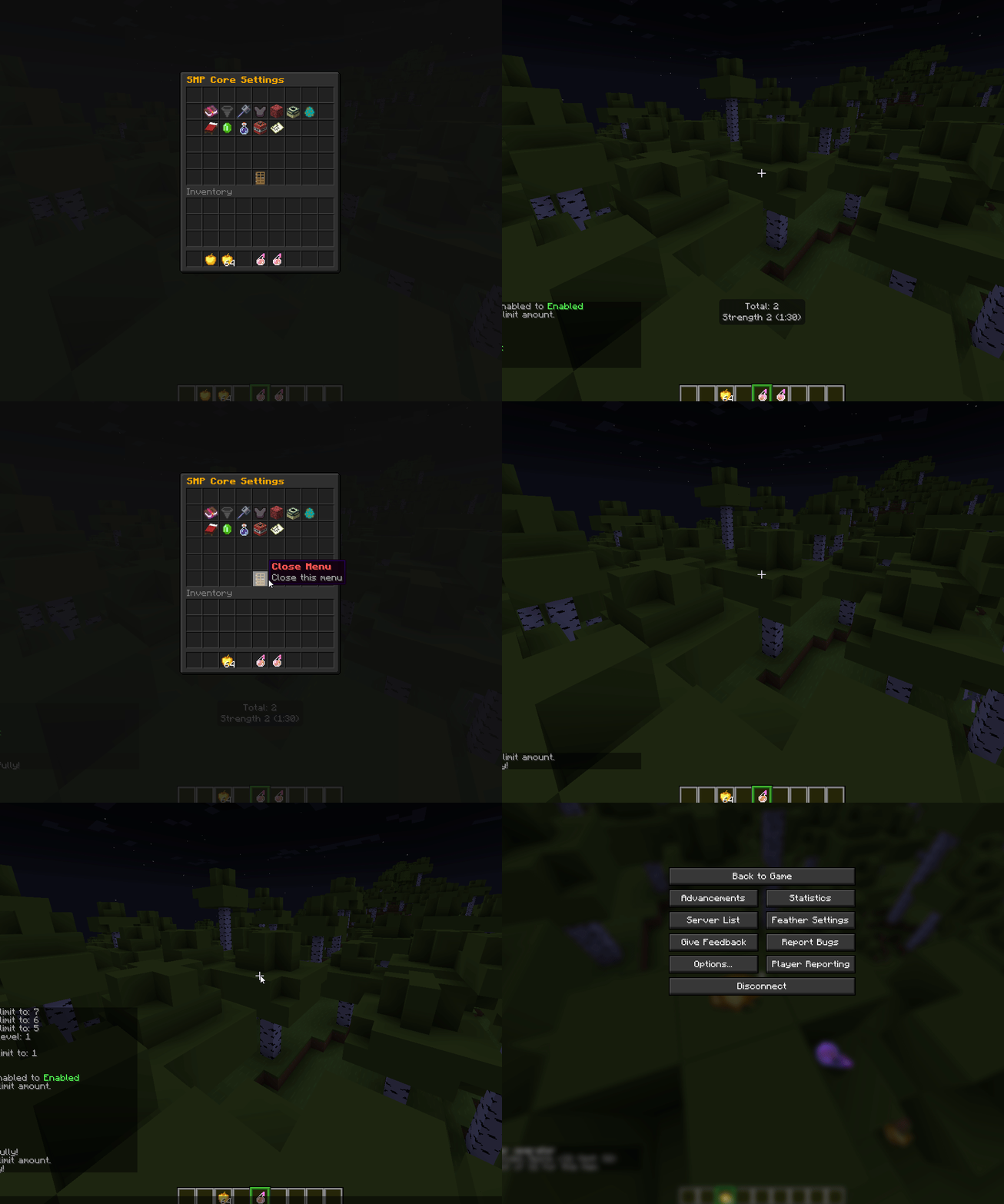
Configuration
features:
  item-limiter:
    enabled: false
    notify-player: true
    notify-message: "§c[Vanilla Core] §7Excess items removed: {item} x{amount} (limit: {limit})"
    drop-excess: true
    limits:
      GOLDEN_APPLE:
        material: GOLDEN_APPLE
        limit: 96
      COBWEB:
        material: COBWEB
        limit: 64
      TOTEM_OF_UNDYING:
        material: TOTEM_OF_UNDYING
        limit: 2
      EXPERIENCE_BOTTLE:
        material: EXPERIENCE_BOTTLE
        limit: 128
      WIND_CHARGE:
        material: WIND_CHARGE
        limit: 64
      SPLASH_POTION_STRONG_STRENGTH:
        material: SPLASH_POTION
        limit: 0
        potionType: STRONG_STRENGTH
Configuration Options
| Option | Type | Default | Description |
|---|---|---|---|
enabled | boolean | false | Master toggle for the item limiter |
notify-player | boolean | true | Whether to notify players when items are removed |
notify-message | string | (see below) | Message shown when excess items are removed |
drop-excess | boolean | true | Whether to drop excess items (true) or delete them (false) |
limits | map | varies | Map of item limit configurations |
Message Placeholders
The notify-message supports these placeholders:
| Placeholder | Replaced With |
|---|---|
{item} | The item type name (formatted nicely) |
{amount} | Number of items removed |
{limit} | The configured limit for that item |
Excess Item Handling
When drop-excess: true (default):
- Excess items are dropped at the player's feet
- Items can be picked up by other players
When drop-excess: false:
- Excess items are permanently deleted
- Use with caution
Limit Configuration
Each limit entry can use simple or advanced format:
Simple Format
limits:
  TOTEM_OF_UNDYING:
    material: TOTEM_OF_UNDYING
    limit: 2
Advanced Format (Custom Items)
limits:
  custom_key:
    material: MATERIAL_NAME
    limit: 3
    customModelData: 123          # Optional - match specific custom model data
    displayName: "§cCustom Name"  # Optional - match specific display name
    potionType: POTION_TYPE       # Optional - for potions only
| Property | Type | Required | Description |
|---|---|---|---|
material | string | Yes | Minecraft material name |
limit | integer | Yes | Maximum quantity (0 = banned) |
customModelData | integer | No | Match items with specific custom model data |
displayName | string | No | Match items with specific display name |
potionType | string | No | Match potions with specific type |
Using the GUI
- Run
/smpto open the main menu - Click on Item Limiter
- Left Click: Toggle the feature on/off
- Right Click: Open the Item Limiter settings menu
Adding a New Limit via GUI
- Open the Item Limiter settings menu
- Click the "Add New Limit" button
- Type the material name in chat (e.g.,
totem_of_undying) - Type the limit number in chat (e.g.,
2) - The limit is saved
Modifying an Existing Limit
- Click on the item in the menu
- Type the new limit in chat
Removing a Limit
Shift + click on the item to remove its limit.
Banning Items
Set an item's limit to 0 to completely ban it:
limits:
  MACE:
    material: MACE
    limit: 0
This prevents players from having ANY of that item in their inventory.
Potion Limits
You can limit specific potion types:
limits:
  # Ban strength II splash potions
  SPLASH_POTION_STRONG_STRENGTH:
    material: SPLASH_POTION
    limit: 0
    potionType: STRONG_STRENGTH

  # Ban swiftness II splash potions
  SPLASH_POTION_STRONG_SWIFTNESS:
    material: SPLASH_POTION
    limit: 0
    potionType: STRONG_SWIFTNESS
Potion Type Reference
| Type | Description |
|---|---|
STRENGTH | Strength I |
STRONG_STRENGTH | Strength II |
SWIFTNESS | Speed I |
STRONG_SWIFTNESS | Speed II |
LONG_SWIFTNESS | Speed I (extended) |
HEALING | Instant Health I |
STRONG_HEALING | Instant Health II |
HARMING | Instant Damage I |
STRONG_HARMING | Instant Damage II |
POISON | Poison I |
STRONG_POISON | Poison II |
INVISIBILITY | Invisibility |
LONG_INVISIBILITY | Invisibility (extended) |
Custom Model Data Matching
Match items from resource packs with specific custom model data:
limits:
  custom_sword:
    material: DIAMOND_SWORD
    limit: 1
    customModelData: 12345
Suggested Limits
Essential PvP Limits
| Item | Suggested Limit | Reasoning |
|---|---|---|
TOTEM_OF_UNDYING | 1-2 | Prevents totem stacking |
ENCHANTED_GOLDEN_APPLE | 2-3 | Limits healing advantage |
GOLDEN_APPLE | 64-96 | Moderate healing available |
END_CRYSTAL | 2-4 | Prevents crystal PvP spam |
Mobility Limits
| Item | Suggested Limit | Reasoning |
|---|---|---|
ELYTRA | 1 | No backup elytras |
ENDER_PEARL | 16 | Limited escape options |
CHORUS_FRUIT | 16 | Prevents teleport spam |
1.21+ Combat Items
| Item | Suggested Limit | Reasoning |
|---|---|---|
WIND_CHARGE | 64 | Limits knockback spam |
BREEZE_ROD | 64 | Crafting component |
MACE | 1 | One mace per player (or use Mace Limiter) |
Item Bans
Common items to ban (limit: 0):
limits:
  # Ban Strength II potions
  SPLASH_POTION_STRONG_STRENGTH:
    material: SPLASH_POTION
    limit: 0
    potionType: STRONG_STRENGTH

  # Ban cobwebs (if not using Enchantment Limiter for knockback)
  COBWEB:
    material: COBWEB
    limit: 0
Finding Material Names
Use Minecraft's internal material names. Common ones:
| Item | Material Name |
|---|---|
| Totem of Undying | TOTEM_OF_UNDYING |
| Golden Apple | GOLDEN_APPLE |
| Enchanted Golden Apple | ENCHANTED_GOLDEN_APPLE |
| End Crystal | END_CRYSTAL |
| Ender Pearl | ENDER_PEARL |
| Elytra | ELYTRA |
| Mace | MACE |
| Wind Charge | WIND_CHARGE |
| Splash Potion | SPLASH_POTION |
| Lingering Potion | LINGERING_POTION |
| Potion | POTION |
For a complete list, check the Spigot Material Documentation.
Troubleshooting
Items not being limited
- Check
enabled: truein config - Verify material name is correct (uppercase with underscores)
- Ensure limit entry has both
materialandlimitfields - Run
/smp reloadafter config changes
Potion limits not working
- Ensure you're using the correct
potionType - Check you're targeting the right material (
SPLASH_POTION,LINGERING_POTION, orPOTION)
Custom model data not matching
- Verify the exact custom model data number from the resource pack
- Ensure the material matches the actual item type